Scene-grid starting point
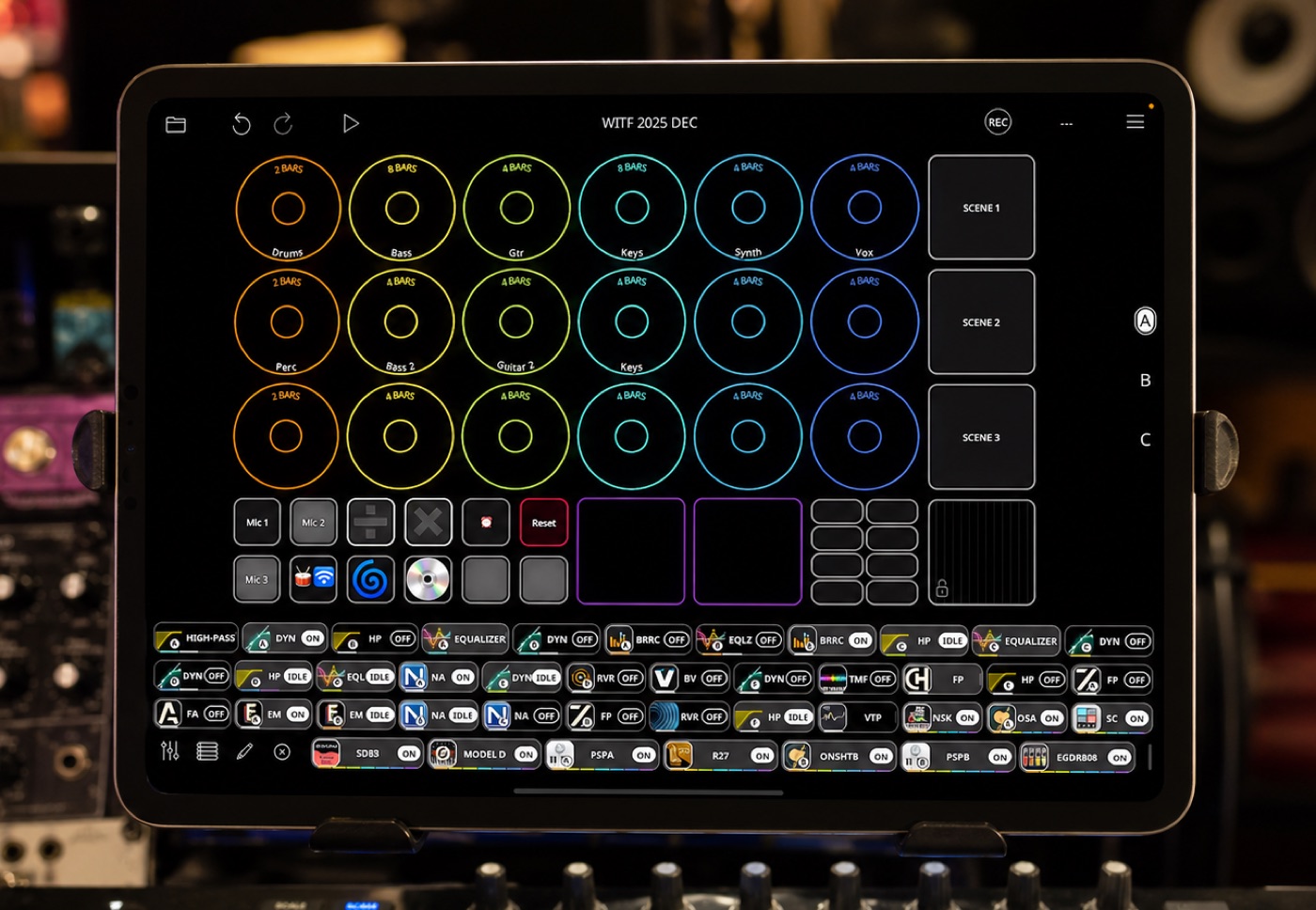
Starts from an Ableton-style scene grid with color-coded loops, mapped Launchkey controls, mixer inputs, AUv3 instruments, effects, buses, and session recording ready to go.
Artist Spotlight
Dominic "Tic2DaToc" Bazile turns classic R&B, funk, jazz, and hip-hop into polished live-looped performances for video, livestreams, writing, and the stage.
Quick Glance
Tactile iPad looping studio for social video, livestreams, writing, and stage-ready multi-instrument performance.
R&B, funk, jazz, hip-hop, saxophone, keys, bass, guitar, percussion, EWI, synths, talkbox, and producer-polished live looping.
Mixer, looper, AUv3 host, sequencer, MIDI target, recorder, resampling hub, and visible performance surface.
Sequencer-driven short-form builds that let Dominic move between instruments while Loopy Pro keeps the recording timeline flowing.
Watch The Interview
Performance Clip
Dominic Bazile’s music world has always been wide. He grew up around instruments, started on saxophone, added flute and clarinet because big-band saxophonists doubled, then kept following the same habit into bass, guitar, keys, production, composition, sync work, and content creation.
That range is part of the Tic2DaToc voice. The videos can look casual at first glance: a familiar groove, a player moving from drums to bass to keys to guitar, a classic track blooming in under a minute. Underneath that ease is a producer’s sense of arrangement, a multi-instrumentalist’s muscle memory, and an educator’s instinct for making the process visible.
Dominic talks about music the way some people talk about craft: learn the sound, get it under your fingers, repeat until it clicks, then make it feel like music. Loopy Pro gives that mindset a place to move quickly.
“I can essentially do everything in Loopy Pro.”
Looping had been on Dominic’s radar for years: Ableton, guitar loopers, saxophone loops, and the hands-free performance language of artists such as Elise Trouw. He had tried Loopy HD, but the iOS music world was changing fast, and AUv3 plugins were becoming central to how he wanted to work.
When Loopy Pro arrived, the missing piece clicked. Instead of routing through one app to loop inside another, he could bring instruments, effects, recording, mixing, and control into one performance environment. For someone already deep in iPad music apps, that mattered. It meant the iPad could become more than a sketchpad; it could become the center of a serious, repeatable, broadcast-ready setup.
His description of Loopy Pro is simple: set a tempo, record a loop, let it start playing, then move on to the next idea. That immediacy suits the way he composes and performs. Ideas can stack before the energy cools down.
Dominic’s main Loopy Pro project starts from an Ableton-style scene grid. Rows can become song sections, loops can be organized by color, and scenes can be triggered as the performance develops. That structure lets him build covers with form: an initial groove, a verse or chorus layer, a switch between sections, or a resampled moment that becomes something new.
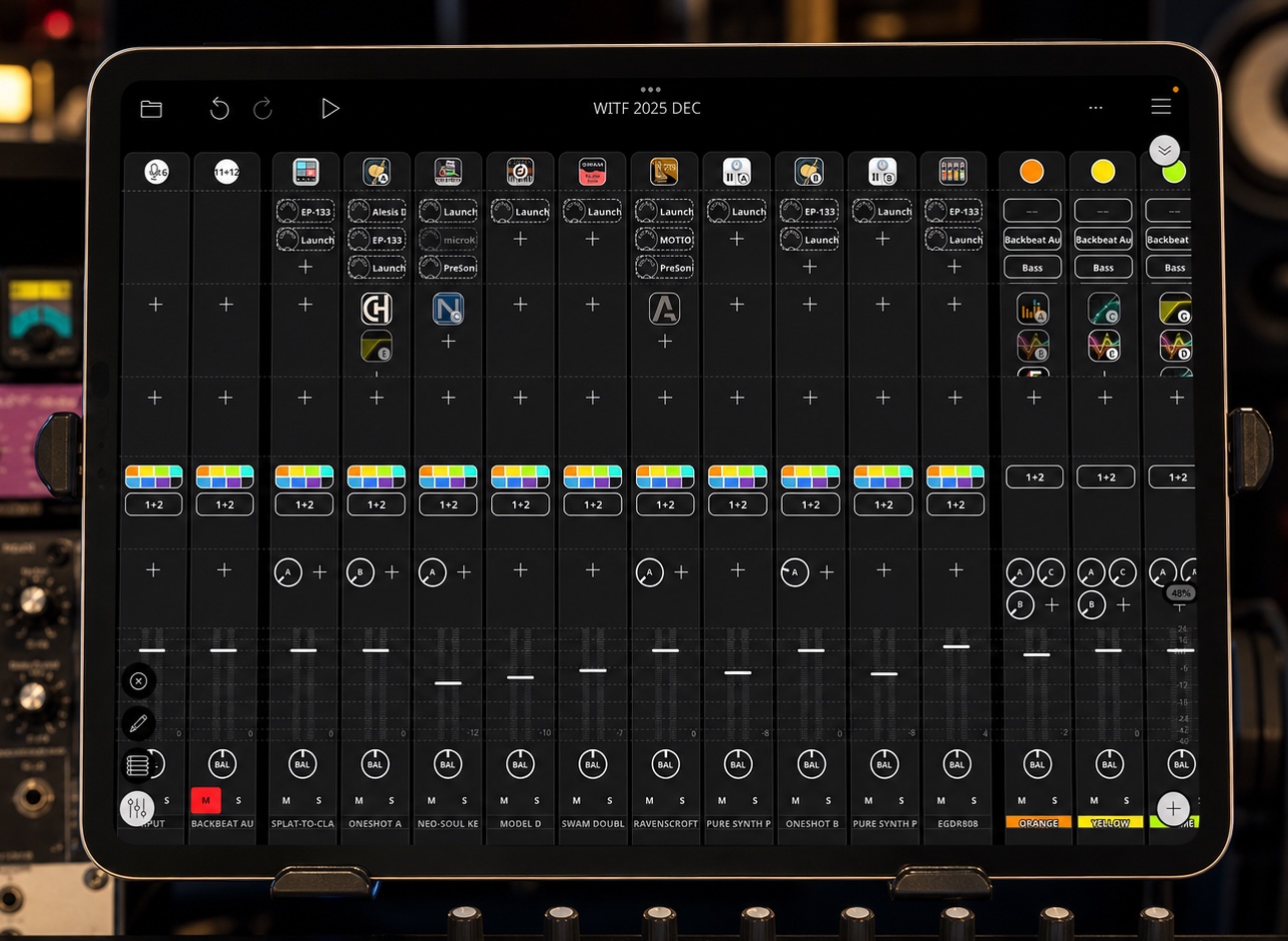
The hardware around it is a compact studio’s worth of sound sources. His iPad connects through USB-C to a PreSonus StudioLive 16R rack mixer/interface. Inputs include vocal mic, sax mic, auxiliary percussion mic, bongos, shaker, bass, guitar, keyboard, EWI, e-drums, synths, talkbox, and MIDI controllers.
The template is built so new songs can start quickly. Inputs are already there. MIDI controllers are mapped. Favorite AUv3 instruments and effects are loaded where they make sense. In the mobile version, a Launchkey 37 and iPad carry much of the same idea, with more sounds virtualized inside Loopy Pro. OneShot handles drums, Neo Soul Keys covers mobile keys, Moog Model D, SWAM, Ravenscroft, Pure Synth Platinum, EGDR 808, ToneBoosters, FAC, Effectrix, and other tools help shape the sound.
Dominic brings a producer’s ear to the mixer. He tries to get each source clean and polished before it hits the loop, especially for live streams where the final sound has to translate immediately. Vocal channels use EQ, compression, harmony and tuning tools when needed. Guitar, bass, horn, and instruments have their own processing paths. Drums can be tightened with transient shaping, and loop channels can carry further processing for polish and movement.
Effects are not just decoration. A drum echo button, a swirl effect near an outro, reverb and delay buses, resampling routes, low-fi processing, master compression, and limiting all help the performance sound finished while it is still being built. He wants to be able to hand a live engineer a left and right output and have the mix already make sense.
That is an important part of this spotlight: Loopy Pro is not only catching loops. In Dominic’s setup, it is mixer, plugin host, controller target, sequencer, recorder, and final performance surface.
“Being able to set your timeline so that you don’t have to interact so much with the buttons… that might be one of the most powerful things of Loopy Pro for me.”
For live streams, Dominic still likes the physical certainty of buttons. His Launchkey pads are color-coded to match Loopy Pro’s loop colors. A tap can record, another tap can play or stop, a hold can overdub, and a double-tap can clear a clip. Once the work is mapped, the controller becomes part of the instrument.
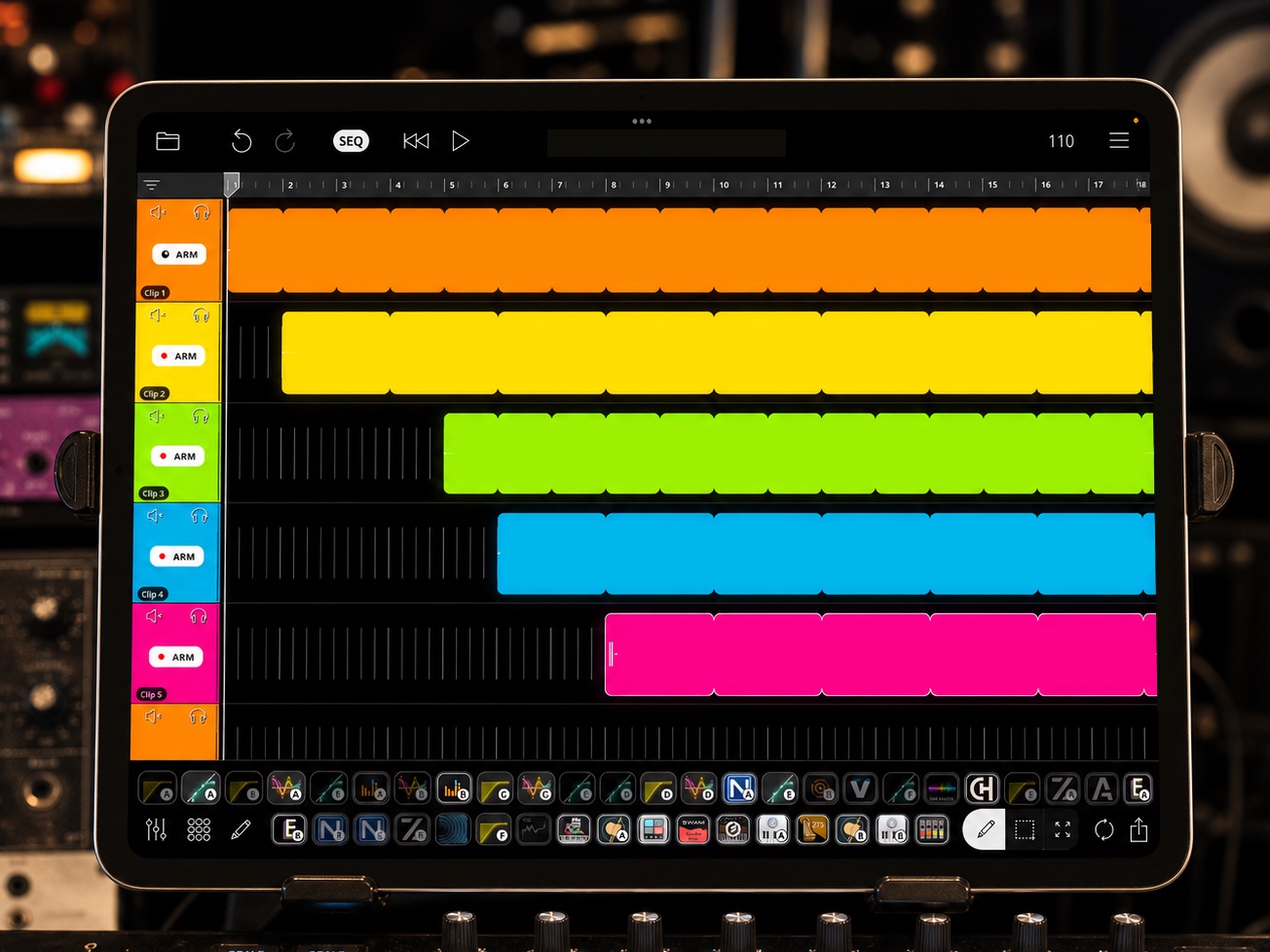
For short-form videos, the sequencer changed the process. Dominic had been chasing the kind of hands-free loop build where the player can move between instruments without constantly reaching for controls. In Loopy Pro’s sequencer, he can lay out recording moments on a timeline, set the tempo, and let the next loop arm at the right time.
That makes the visible performance smoother, but it does not remove the craft. He still has to learn the song, decide which parts enter first, keep the build tight enough for social video, and avoid long stretches where nothing new happens. Two- and four-bar funk grooves are easier to compress. Eight-bar ideas need more planning, so he overlaps entrances: come in halfway through a bass loop with guitar, use shaker to move away from the drums, hold a pad with the sustain pedal while reaching for another instrument.
It becomes choreography. The viewer sees flow. The performer knows exactly how much preparation is hiding inside it.
Dominic is clear about the line he is drawing: the performances are live. There is no miming to a finished track, no post-production trick making the parts appear after the fact. If the take needs to be redone, he does another take. He has even recorded secondary phone angles to show that the performance is really happening.
That matters for his audience. A short video can be polished and still have the risk of a live performance. On livestreams, people can watch the same discipline unfold in real time. The setup has to be reliable enough for that: charge the EWI, check the foot pedal, keep the iPad cool with a fan, run through the set list before going live, and avoid pushing older hardware too hard with heavy time-stretching unless the room is ready for an experiment.
The practical details are humble, but they are the difference between a clever studio trick and a performance system a musician can trust.
“Just lock into the music.”
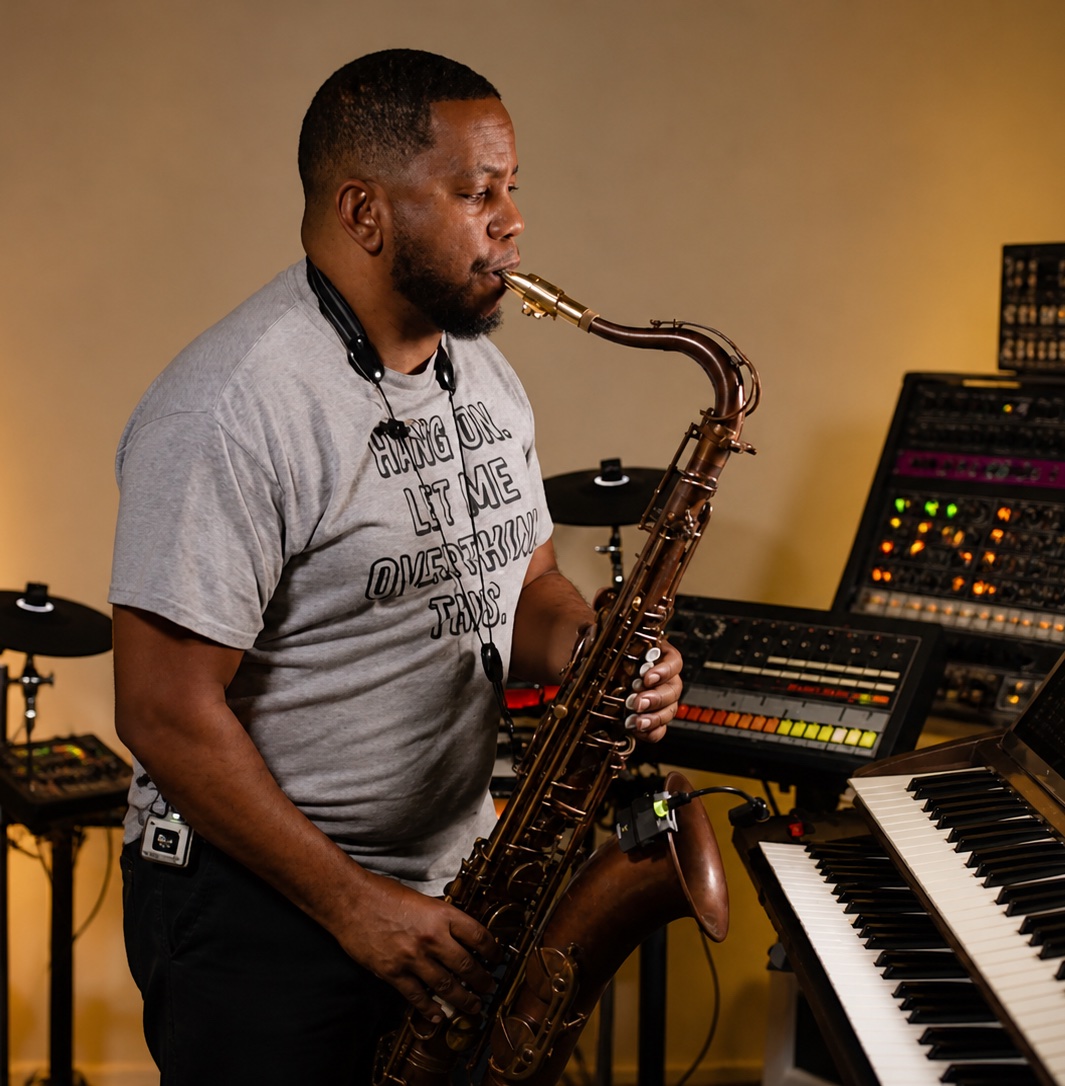
Loopy Pro also lives in Dominic’s broader writing life. When he is working on sync briefs or chasing an idea, the tactile workflow helps him move faster than a mouse-and-keyboard session. Trigger the loop, play the groove, add a part, try another section, keep going.
Sometimes those Loopy Pro sketches move into a DAW afterward. He can export loops, AirDrop them to the Mac, and keep producing from the point where the performance idea already had shape. That bridge matters because his longer-term goal is to release more original music that can also be performed live.
He describes the destination as R&B, funk, and jazz with an inspirational pulse: music that can make people dance, move, and feel encouraged, while still being practical to perform with Loopy Pro. The social videos, livestreams, sync work, stage shows, and releases are all starting to point toward the same center.
Dominic’s career has taken him through New Orleans roots, Augusta, Morehouse College in Atlanta, No Limit Records connections, sync production, and a major placement with Ludacris’s “Get Back.” He could have stayed close to the traditional industry hubs, but Louisiana gave him a different pace and a different kind of focus.
Social media has become a third path. He can live somewhere lower-key, keep doing production work, and still stay visible to the people who need to see what he does. Loopy Pro fits naturally into that path because it makes the work visible: the arrangement, the playing, the sound, and the personality are all on screen at once.
The interview shows how Dominic turns Loopy Pro into a fast, tactile performance studio for social video, livestreams, writing, and stage-ready multi-instrument looping.
Starts from an Ableton-style scene grid with color-coded loops, mapped Launchkey controls, mixer inputs, AUv3 instruments, effects, buses, and session recording ready to go.
Runs vocals, sax, EWI, percussion, bongos, shaker, bass, guitar, keys, e-drums, synths, talkbox, and mobile virtual instruments through Loopy Pro.
Uses sequencer/timeline recording, MIDI mapping, scene-style sections, mixer routing, resampling buses, session recording, and loop export into a DAW.
Prepares the build, makes transitions feel natural, keeps the sound polished, then gets through the tools and back into the music.
In this 38-minute setup demonstration, Dominic shows a fast songwriting workflow built around an Akai MPC sampler and Loopy Pro on iPad. The MPC handles the drum groove, transport, and MIDI clock, while Loopy Pro becomes the central recording hub for live instruments, monitoring, AUv3 effects, loop triggering, and routing.
With his mixer wired as a multichannel audio interface, bass, guitar, keys, drums, percussion, microphones, and synths are always ready to capture. He records parts into colored loop groups, experiments with arrangement by muting and triggering loops, then exports the audio to a desktop DAW for further production and mixing.