Song-specific instruments
Duplicates or starts from templates, then removes what the song does not need so each project becomes a custom control surface for one arrangement.
Artist Spotlight
Inby builds Loopy Pro projects like small, song-specific instruments for voice, ukulele, percussion, MIDI controllers, follow actions, clip slicing, and live looping.
Quick Glance
Voice, ukulele, percussion, MIDI controllers, follow actions, clip slicing, and live looping in custom song projects.
Everything is created live: vocals, keys, ukulele, percussion, one-shots, sliced phrases, and audience moments.
The center of the show: mixer, looper, sampler, effects host, MIDI brain, arrangement tool, and visual performance surface.
Follow actions, clip slicers, MIDI mapping, custom widgets, pitch/rate sliders, and song-specific templates.
Watch The Interview
Performance Clip
Inby started out performing as an old-school one-woman band: singing, playing ukulele or accordion, adding percussion by hand, and drumming with her feet. It was physical, funny, coordinated, and full of charm, but the arrangements in her head eventually needed more room.
She was ready to buy a hardware loop station when an online lesson with Kristóf changed the plan. He mentioned Loopy Pro, sent her toward Dub FX’s video, and Inby went deep. Within a couple of weeks, the hardware order was cancelled. She bought an iPad, an audio interface, the necessary hub and cables, and built her live setup around Loopy Pro from the start.
What hooked her was the possibility of arranging songs that move in different directions. Her music does not always fit a simple loop-station shape. With Loopy Pro, she saw a way to build performances with turns, sections, surprises, and enough flexibility to stay alive on stage.
“You’re creating your tool for music.”
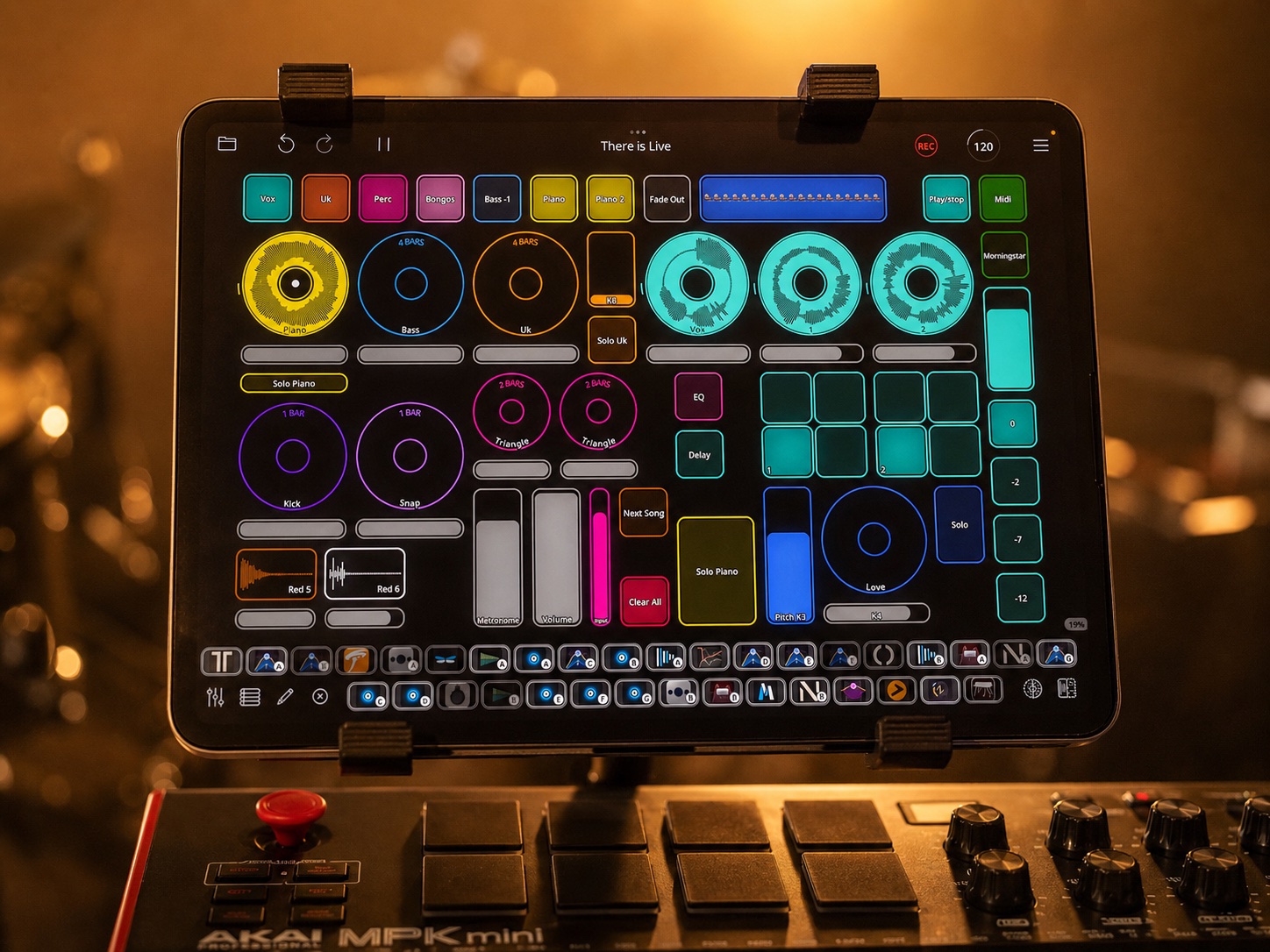
Inby does not use one master template for everything. Each song gets its own Loopy Pro project, built around what that song needs to do.
Some projects are simple: inputs, mute buttons, a clean vocal path for speaking to the audience, and a performance path for singing and ukulele. Others are much more involved, with preset loop lengths, custom colors, follow actions, sliced vocal phrases, routed drum hits, and dedicated buttons for sections like verse, bridge, chorus, or live moments.
That song-by-song approach lets her treat each project as an instrument. The layout, controls, automation, and effects are part of the arrangement. If a song changes after a few shows, the project changes with it.
The feature that changed everything for Inby was follow actions.
In her song “There Is,” one button can start a chain of live recordings. She begins by singing three vocal loops. Loopy Pro can unmute the vocal mic, record the next loop, record the next one after that, mute the mic again, and select the next loop for her foot controller.
That means Inby can stay focused on performing. She does not need to keep reaching for the screen to select the next thing or remember every small housekeeping task. Follow actions handle the setup moves: muting the right input, disabling effects that are not needed yet, selecting the next loop, stopping groups of loops, fading a resampled phrase, or changing the banks on the foot controller.
Parts of the arrangement are pre-determined, but she can still talk to the audience, extend a triangle part, take a solo, or wait for the right moment before moving on.
“Follow actions changed everything about the way I think about my performance.”
Inby’s current live rule is simple: everything has to happen live.
Even when she uses one-shots, she plays them from a MIDI keyboard and records them into loops during the performance. When she slices a vocal phrase, it is a phrase she has just recorded. When a sound becomes a new texture, the audience has heard where it came from.
That limitation shapes the whole show. It keeps the performance risky, visible, and human. It also gives the audience a clear way into the music: they see the first layer happen, then the next, then the next, until a full arrangement appears in front of them.
When possible, Inby connects the iPad to a projector over HDMI so the audience can see Loopy Pro working during the show. Instead of hiding the screen, she turns it into part of the performance.
“Everything is live.”
Inby describes one of her biggest learning curves as becoming her own sound person. Loopy Pro handles the mixer, plugins, input processing, effects, and routing, while the audio interface gets sound in and out.
Her projects use EQ on inputs and channels, different processing chains for the same microphone depending on whether it is used for vocals or percussion, and separate routing for sounds that need different treatment. A kick and a snap may be triggered from adjacent pads, then land in different loops so each can have its own processing.
CPU is part of the live design too. Effects can be enabled only when needed, then turned off again after recording. Lightweight plugins are favored when reliability matters. Hardware stays compact: an iPad, USB hub, MIDI keyboard, Morningstar MC6 foot controller, and a Zoom U-44 audio interface that gives her the outputs she needs for audience sound and metronome monitoring.
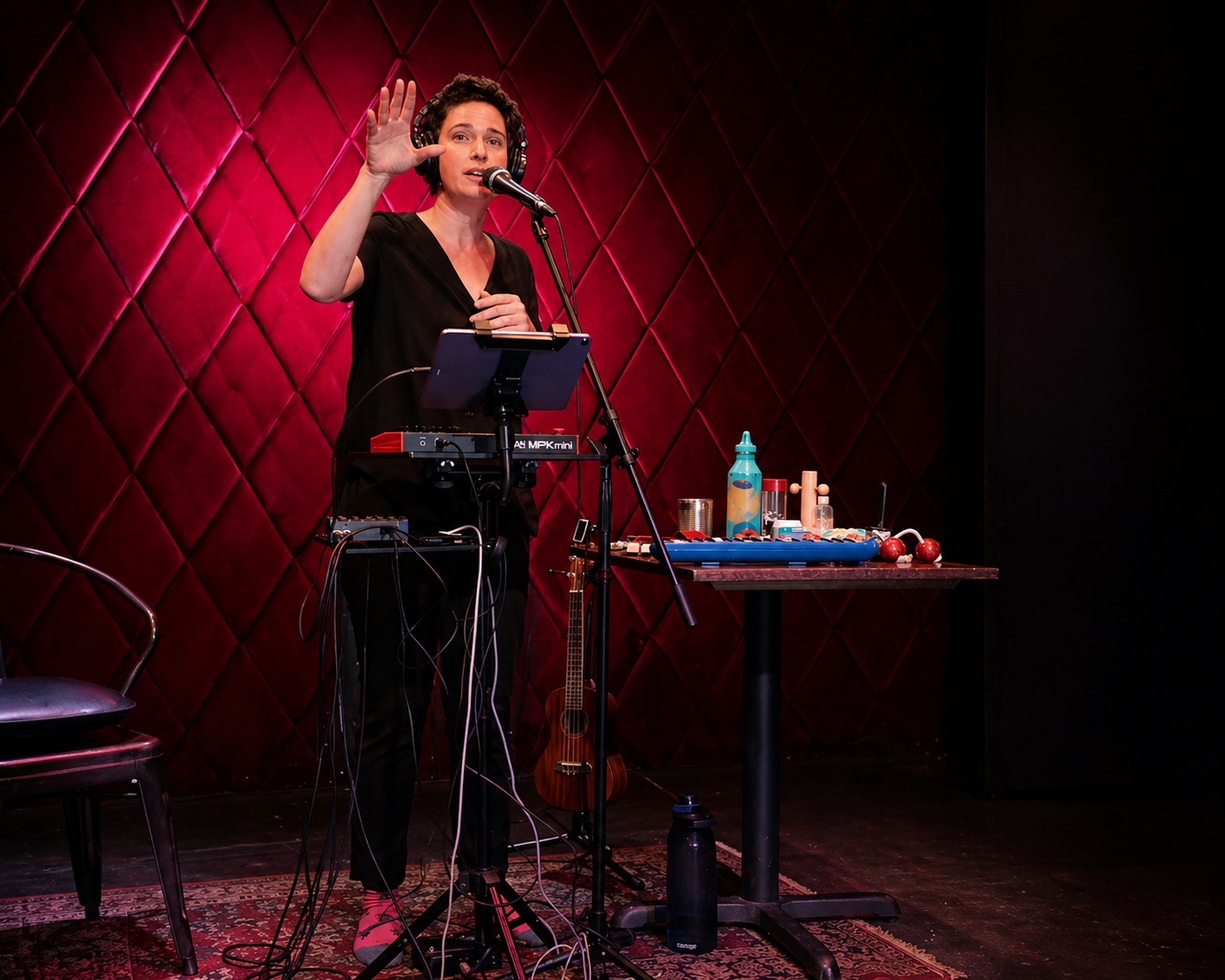
Inby is careful about the difference between a clever setup and a good show. Some ideas are technically exciting but stressful to perform or unclear to the audience. Those get simplified.
Her test is the room. Does the audience stay with her? Can they feel each layer arrive? Can she look up from the screen, make eye contact, and enjoy the performance herself?
That is why some of her live arrangements differ from the studio versions. If a technically faithful version would slow down the build or make the audience wait through too much setup, she chooses flow. The goal is a performance where people feel invited into the process.
Loopy Pro has also become part of her wider writing process. She uses it to develop song ideas, build arrangements, practice bass parts and finger drumming, try iOS instruments, and record live-looped versions that can later be mixed and mastered.
“It’s like it’s sequenced, but it’s free.”
The interview shows how Inby uses Loopy Pro to make complex song structures feel performable and visible.
Duplicates or starts from templates, then removes what the song does not need so each project becomes a custom control surface for one arrangement.
Recording one loop can trigger the next recording, mute or unmute inputs, select targets, switch control profiles, enable effects, or fade a loop.
Records a phrase, slices it evenly, plays the slices from MIDI pads, then resamples small pieces into new loops with their own effects.
Centers on iPad, Loopy Pro, USB hub, MIDI keyboard, Morningstar MC6, Zoom U-44, microphones, ukulele, percussion, and optional HDMI projection.